
One system that actually runs the school
School Smart ERP handles students, fees, attendance, biometrics, exams, accounting and payroll — with apps for parents, students and staff on Android and iPhone. And when the internet goes down, your fee counter keeps taking money.
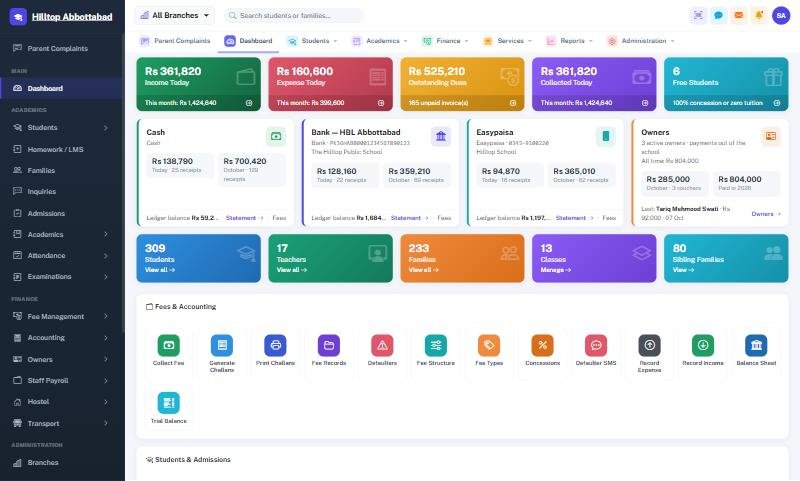
School Smart ERP, end to end
A complete walkthrough — admissions to accounts, the offline fee counter, the mobile apps and how we move your existing data across.
One platform for your whole institution
From admission to graduation — every department, every record, every payment, beautifully organised.
ITA AI Assistant
A built-in AI helper — ask questions in plain language and get instant answers, guidance and insights across your school data.
Student Management
Complete student profiles, admission numbers, documents, ID cards, bulk promotion and Excel import.
Admissions
Capture enquiries, run admission tests, print blank admission forms (PDF/Word) and enrol in a click.
Fees & Challans
Fee heads, structures, sibling rules, concessions, auto-generated challans and barcode-scan collection.
Offline Fee Counter
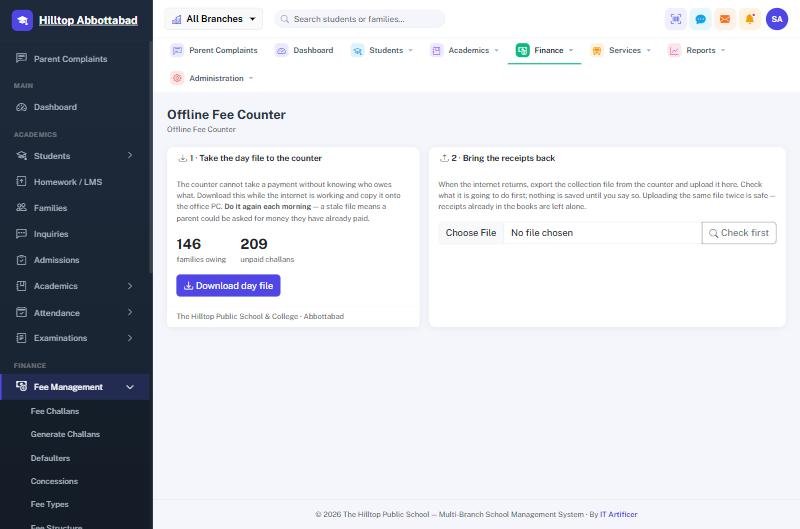
When the internet drops, a small till on the office PC keeps collecting — same receipt, same numbering. One click puts it all back.
Attendance
Mark student attendance by class or from your phone, with monthly summaries and defaulter alerts.
Biometric Devices
ZKTeco machines at the gate push punches straight in — arrival, departure, late and half day worked out for you.
Exams & Results
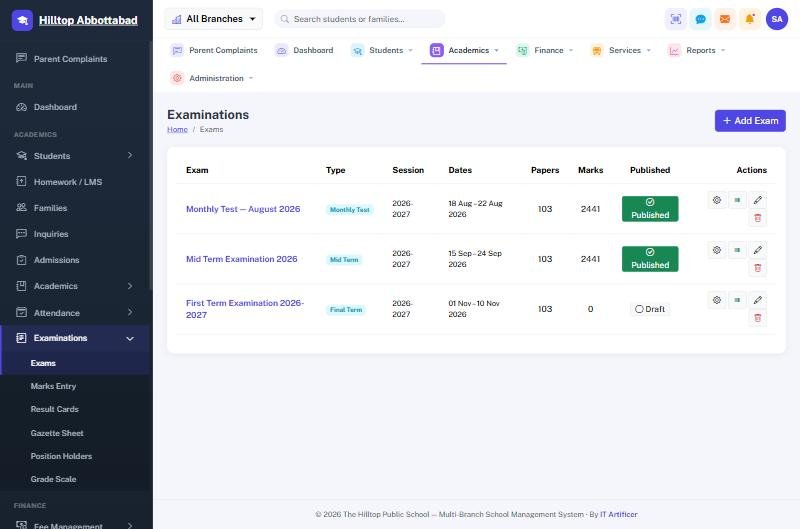
Marks entry, grade scales, result cards, gazette sheets and position holders — auto-calculated.
Accounting
Chart of accounts, ledger, cash book, bank book, trial balance and profit & loss — posted automatically from fees and expenses.
Staff Payroll
Salary setup, absence deductions pulled from the register, advances recovered monthly and printable payslips.
Parent Complaints
Parents raise a complaint — typed or as a voice note in any language — and the school replies by voice or in writing.
SMS & Automations
Absent at 10, parent knows at 10:05. Attendance alerts, fee reminders and monthly reports send themselves.
Hostel & Transport
Rooms, roll call and gate passes; routes, stops, vehicles and drivers — each with its own fee head on the challan.
Front Desk
Visitors, gate passes, enquiries, call log and the notice board — the reception desk, on the screen.
Multi-Branch
Run many campuses from one account, with branch-scoped data and a super-admin overview.
Roles & Permissions
Super admin, principal, accountant, teacher, receptionist & more — each sees exactly what they should.
Academics & Timetable
Classes, sections, subjects, yearly planner and timetable management for smooth scheduling.
Certificates & ID Cards
Leaving and character certificates, printable ID cards and barcoded fee challans — all on your own letterhead.
Homework / LMS
Teachers share homework and learning material; parents and students access it from the app.
Reports & Analytics
Collection, defaulters, admissions, results, attendance and profit — per campus or for the whole group.
The screens your staff use every day
Not mock-ups — these are the real pages, straight out of a working school.
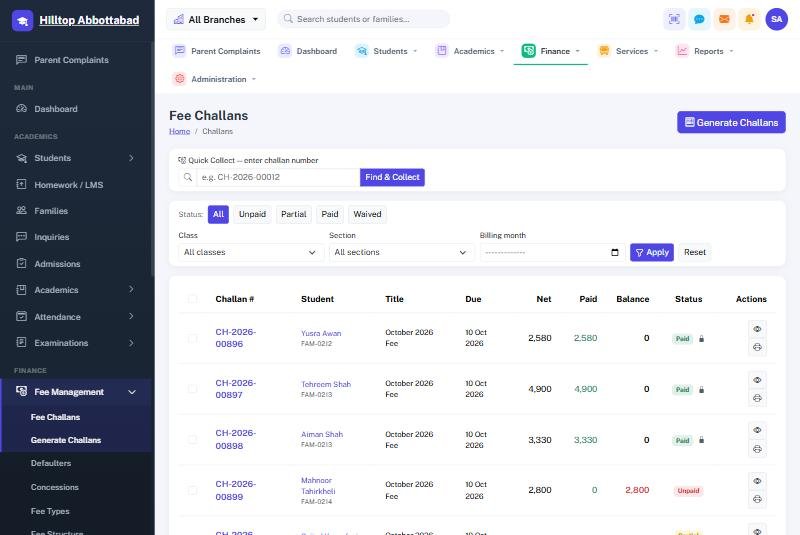
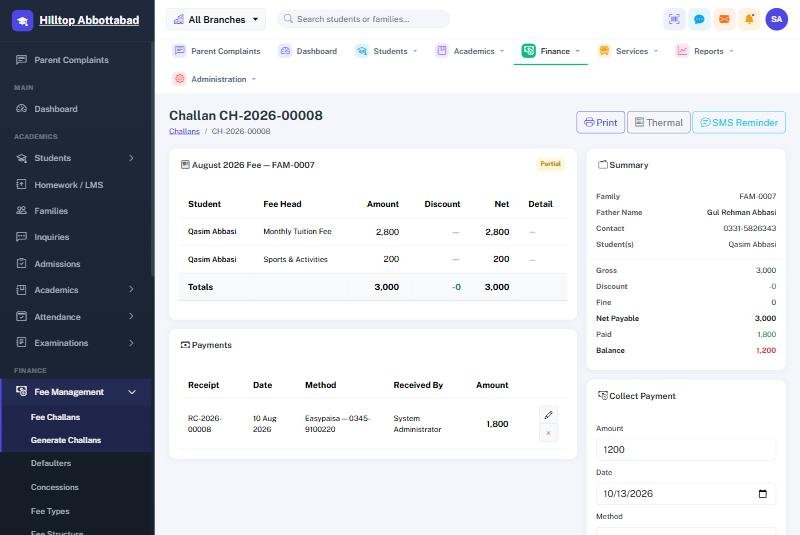
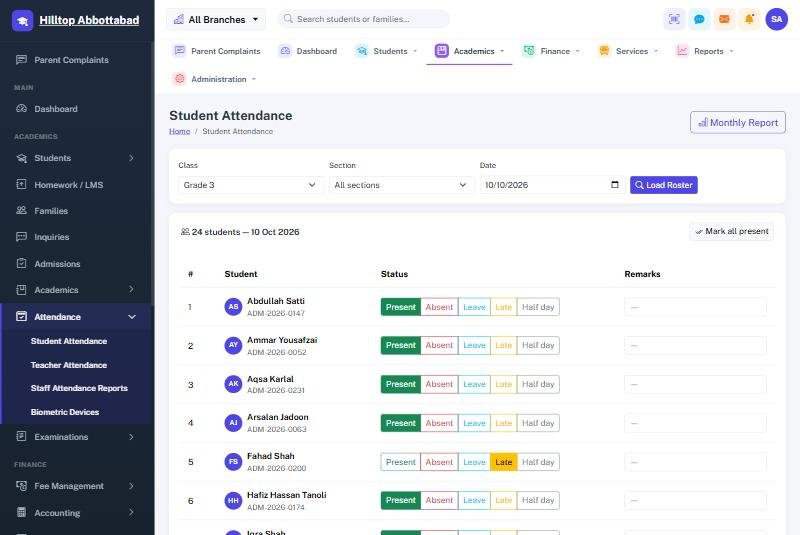
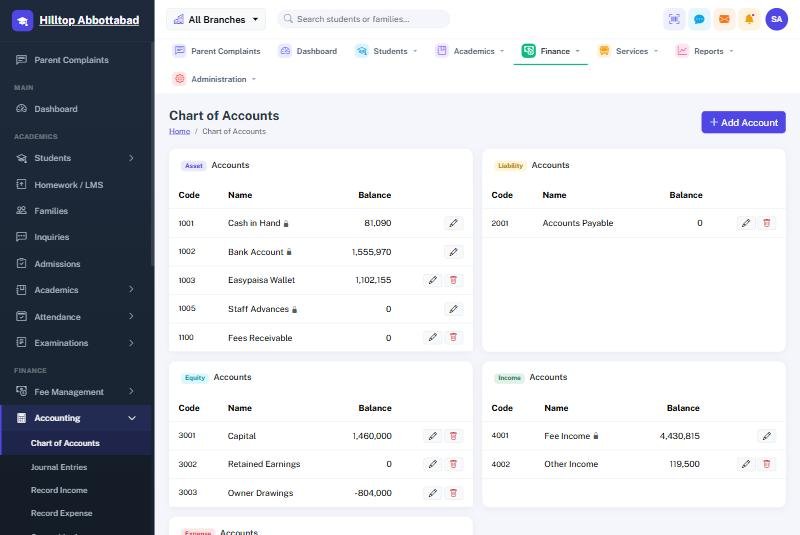
Collect fees faster, track every rupee
Generate challans in bulk, apply concessions and sibling discounts automatically, and collect payments at the counter or from a mobile phone — with a full audit trail behind every transaction.
- Auto fee structures, heads & sibling rules
- One-tap fee collection & printable challans
- Defaulter tracking & collection reports
- Concessions, waivers & multiple payment methods
From marks entry to result cards — automatically
Enter marks once and let School Smart ERP produce grades, positions, result cards and gazette sheets. Publish results to the parent and student apps the moment they're ready.
- Configurable grade scales & GPA
- Result cards, gazette & position holders
- Subject & teacher assignment per class
- Timetable & yearly academic planner
Internet down? The fee counter keeps taking money.
Load shedding, a dead router, a cable cut on the main road — the queue at your counter does not care. Most school systems simply stop. School Smart ERP keeps collecting right through it.
Take the day file out
Two clicks before the outage — or the morning of — and every family, challan and balance is on the office PC.
Keep collecting
A small till app finds the student, takes the payment and prints the very same receipt the parents already know, with the same numbering.
One click back
When the line returns, upload the collection file. Every receipt lands in the system and every ledger entry posts itself.
Nothing double-counts
Upload it twice by mistake and nothing breaks — each receipt carries its own identity and is checked rupee by rupee on the way in.
Runs on any office computer. No second server, no monthly fee, no data left behind.
Three experiences, one app
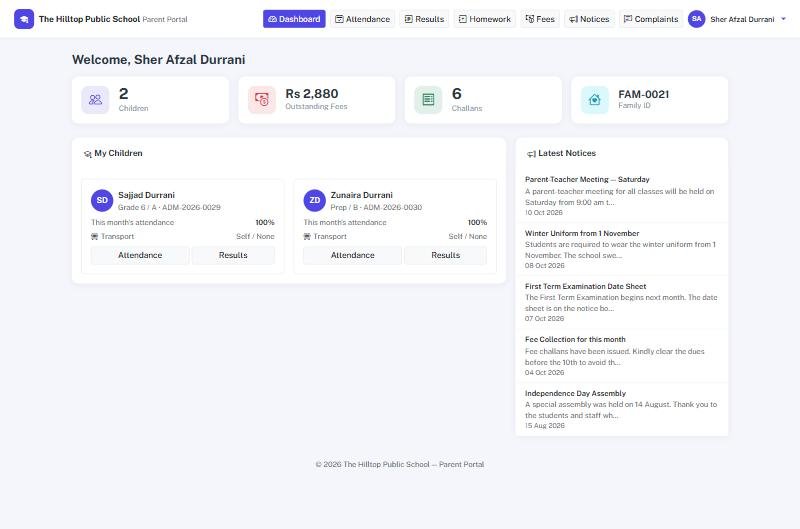
A single role-aware app that greets each user with exactly what they need — on Android and iPhone, carrying your school's own name, monogram and colours. There is a web portal too, for parents who would rather use a browser.
Parents
Everything about their child, always up to date.
- Attendance & results
- Fee dues & challans
- School notices & alerts
Students
Their timetable, marks and homework in one tap.
- Personal attendance & grades
- Homework & materials
- Fee status
Staff
Run the school from your phone, with role-based access.
- Live dashboard & overview
- Collect fees on the go
- Mark attendance & lookups
Your data is a few clicks away
No school is too far gone to move. Whether you are on registers, on spreadsheets, or on software you already paid for that never quite worked — we bring it across, check it against your own figures, and train your staff on it.
Registers, typed once
Students, families, classes and arrears entered one time by us — never again by your staff.
Your own columns, mapped
Send the Excel file you already keep. We map your columns, import, and show you the totals to confirm before anything goes live.
Exported, cleaned, checked
Half-built modules, nobody trained, nobody answering the phone — we have moved schools off exactly that, with fee heads, balances and receipts intact.
Plans that fit your institution
Every school is different, so we price to your size and needs. Tell us about your institution and we'll tailor a quote.
Starter
- Students, admissions & fees
- Attendance & exams
- Parent & student apps (Android & iPhone)
- Core reports
- Email support
Standard
- Everything in Starter
- Multi-branch / campuses
- Staff mobile app + fee collection
- Accounting, payroll & advanced reports
- Offline fee counter
- Biometric attendance devices
- Communication (notices, email/SMS)
- Priority support
Enterprise
- Everything in Standard
- Custom modules & integrations
- On-premise or dedicated cloud
- Data migration & on-site training
- Dedicated account manager
Frequently asked questions
Can you migrate our existing student and fee data?
We already bought software that never fully worked. Why would this be different?
What happens when our internet goes down?
Is it cloud-based or can we host it ourselves?
Do parents and students really get a mobile app?
Does it work with biometric attendance machines?
How long does setup take?
Can it be customised to our school's needs?
What about training and support?
Book a free demo
See School Smart ERP in action for your school. Fill the form or reach us directly — we usually reply the same day.