Cloud vs Offline School Management Software: Which Is Right for Your School?
One of the first decisions when choosing a school ERP is where it runs. Cloud software lives on the internet and opens in a browser. Offline (desktop) software is installed on a computer in your office. Each has real strengths — and real weaknesses that vendors rarely mention.
How cloud school software works
The system and its database run on a server in a data centre. Staff, owners and parents open it from any computer or phone with an internet connection.
Strengths
- Access from anywhere. Owners can check today's collection from home; teachers mark attendance from their phones.
- Automatic backups. If the office PC dies, your data is safe.
- Parent and staff apps work naturally because everything is online.
- Multi-campus groups see every branch in one dashboard.
- Updates arrive automatically with no installation.
Weaknesses
- No internet, no work. On fee day with a queue at the counter, a dropped connection stops everything.
- Monthly cost rather than a one-time purchase.
How offline (desktop) school software works
The software and database are installed on one PC or a small local network in the school.
Strengths
- Works during outages and on slow lines.
- Data stays on your premises.
Weaknesses
- Backups are your job. A crashed hard disk or a virus can wipe years of records if nobody copied them.
- No access outside the building — owners and parents cannot see anything remotely.
- Parent apps and SMS are difficult or impossible.
- Multiple campuses end up with separate, disconnected databases.
The real problem: fee day
For most schools in Pakistan, the internet question really comes down to one place — the fee counter. Attendance can be marked an hour later, and results can wait, but a queue of parents with cash cannot. That is why many schools stayed on desktop software even after cloud systems became common.
The hybrid answer
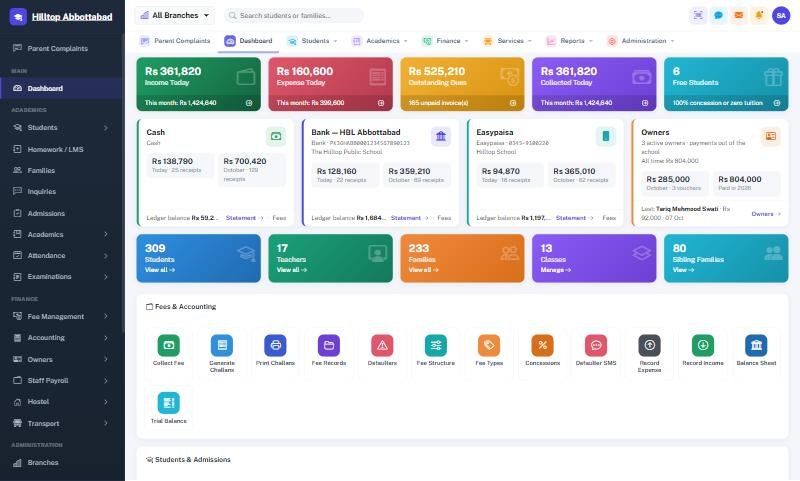
School Smart ERP runs in the cloud but includes two features designed for unreliable connections:
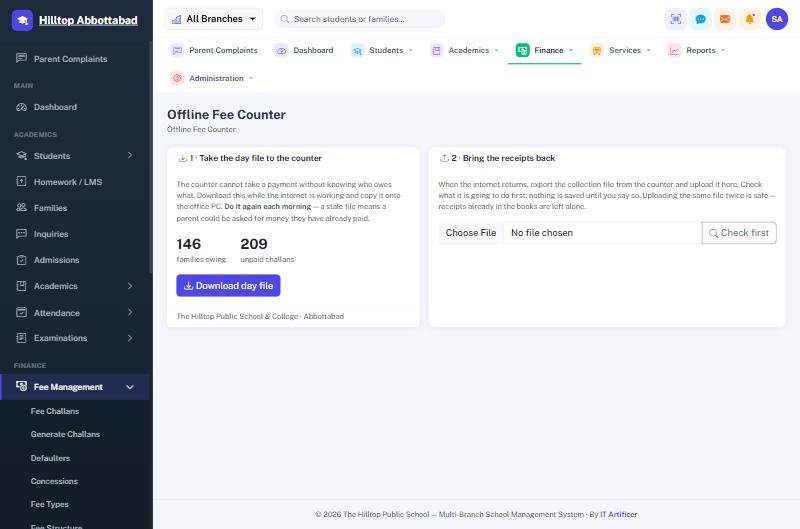
- Offline fee counter. Take the day's file out in two clicks, keep collecting on an office PC through any outage with the same receipts and numbering, then upload the collection file and every rupee posts itself. Uploading the same file twice does not double-count. Read the full walkthrough in collecting fees when the internet is down.
- Offline / online switch. Schools on a consistently weak line can run the whole system on a local machine and move back to the cloud when the connection is stable, without keeping two sets of books.
You keep the backups, remote access and parent app of the cloud, without the fee counter going silent.
Quick decision guide
- Stable internet, one or more campuses, want a parent app → cloud.
- Frequent outages on fee day → cloud with an offline fee counter.
- Very weak or no internet for long periods → offline/online switch, syncing when possible.
- Strict policy that data must stay on premises → on-premise or dedicated server (Enterprise).
Frequently asked questions
Is cloud school software safe?
A well-run cloud system with role-based access and daily backups is usually safer than a single office PC. Read our notes on school data security and privacy.
Do parents need internet to use the app?
The app needs a connection to fetch new data, but mobile data is enough.
Want to see the offline counter in action? Book a free demo or read the offline fee counter documentation.
Run your school the smart way
Book a free demo of School Smart ERP for your school or college.
Request a Free Demo