
Running a School in D.I. Khan Through Load-Shedding: An Offline-First Guide to School Software
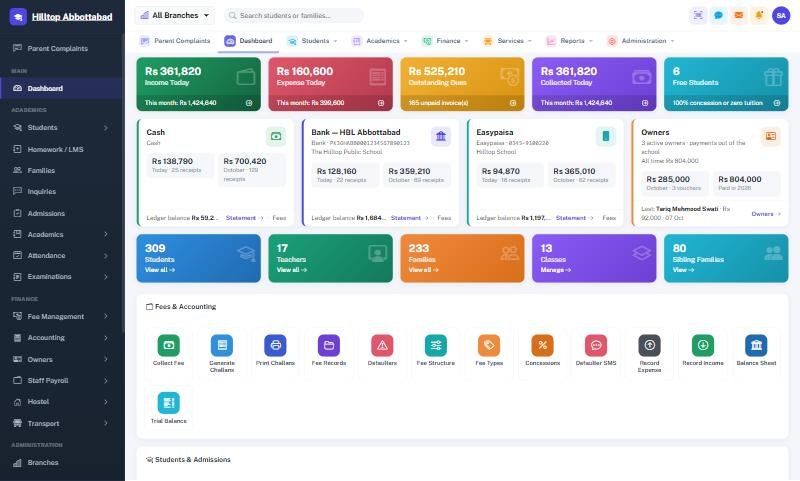
Ask any school office in Dera Ismail Khan what goes wrong on fee day and the answer is usually the same: the electricity goes, the router goes with it, and parents queue at a counter that cannot print a receipt. Software that only works online makes this worse, not better. This guide explains what offline-first school management software means for schools in D.I. Khan, and how to keep the office running when the line drops.
Why "cloud only" is not enough in D.I. Khan
Cloud software has real advantages: your data is backed up off-site, the owner can check figures from home, and there is no server to maintain. But in a district where summer load-shedding can run for hours and mobile internet weakens outside the city, a cloud-only system has one fatal weakness — when the connection drops, the counter stops. Office staff then go back to a receipt book "just for today", and the two records never quite match again. We compare the approaches in detail in cloud vs offline school management software.
What an offline fee counter actually does
School Smart ERP solves this with an offline fee counter designed around how a school office really works:
- Before the outage — the office takes the day file out in two clicks. It contains the challans that are due.
- During the outage — an office PC finds the challan, takes the payment and prints the same receipt with the same numbering as the online system. Parents see no difference.
- After the outage — one upload posts every receipt into the system and the books. Each payment is checked rupee by rupee, and uploading the same file twice never double-counts.
See how to collect school fees when the internet is down for a step-by-step walkthrough.
When the whole campus needs to run offline
Some campuses — in the outer tehsils or anywhere the connection is consistently weak — need more than a fee counter. School Smart ERP can run the whole system on a local machine and switch back to the cloud when the connection is stable, without keeping two sets of books. Attendance, marks and fees all continue normally in the meantime.
Students who travel in
Schools in D.I. Khan city draw students from Paharpur, Kulachi, Daraban, Paroa and the surrounding villages, often in school vans. The transport module manages routes, stops, vehicles and drivers, and each student's transport fee is billed on the monthly challan automatically — no separate van register.
Summer vacations and fee months
Long summer vacations make fee collection awkward. Some schools collect vacation fees in advance; others carry them as arrears. Whatever your policy, it belongs in the fee structure, not in a side register. Vacation-month challans are then generated in bulk like any other month, and the defaulter list stays accurate.
Less work for a small office
Many D.I. Khan schools run with a small office team. The biggest time savings come from:
- Generating the month's challans for every class in one click.
- Defaulter lists that update themselves as payments come in.
- Result cards produced straight from the marks sheet.
- SMS alerts for absences and fee reminders that send themselves.
Frequently asked questions
Do we need a generator or UPS for the offline counter?
The counter runs on an ordinary office PC, so it needs only the power that PC already has — a UPS or the building's backup is enough. It does not need the internet.
Will the receipts match the online system?
Yes. The offline counter prints the same receipt with the same numbering, and everything posts into the same records when you upload.
Can a school in Kulachi or Daraban use it?
Yes. The offline features are designed exactly for campuses with unreliable connections.
Running a school in Dera Ismail Khan? See school management software in D.I. Khan or book a free demo — and ask us to unplug the internet while you watch.
Run your school the smart way
Book a free demo of School Smart ERP for your school or college.
Request a Free Demo