
ITA AI Assistant for School Management
Ask your school a question in plain language — "Show defaulters", "Profit this month", "Find student Ahmed" — and get the answer from your own live data, with a click through to the record or report.
Answers from your own school data, in seconds
A school ERP holds a lot of useful information, but getting to it usually means knowing which report to open and which filters to set. Many owners and principals simply ask the office instead — and wait.
The ITA AI Assistant sits at the bottom-right of every screen. Type a question or tap a suggestion, read the answer, and click any result to jump straight to that record or report. It answers from your live database without sending your data to an external service, and it only ever shows what the person asking is allowed to see.
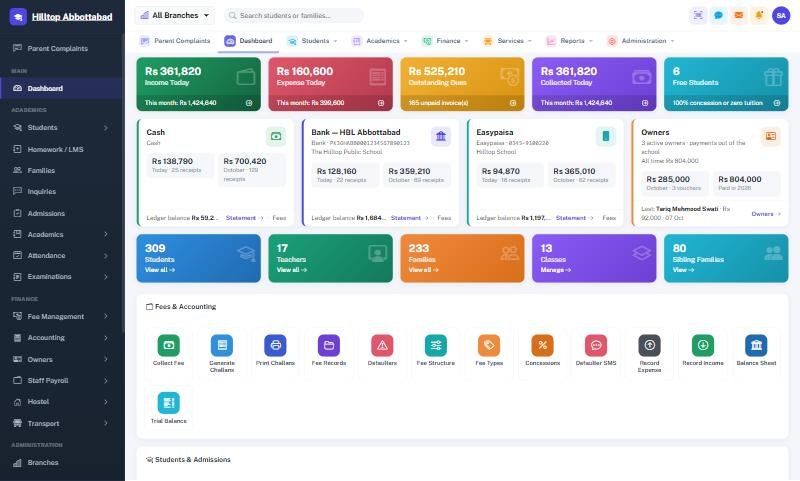
ITA AI Assistant in four steps
Open
Click the ITA AI button at the bottom-right of any screen.
Ask
Type a question in plain language or tap a suggestion chip.
Read
Get the answer from your school's live data.
Jump
Click a result to open that student, family, record or report.
Everything in ITA AI Assistant
Numbers on demand
"How many students?", "Summary", "Today's income", "Profit this month".
Fees & defaulters
"Show defaulters", "Fee collection this month".
Find anyone
"Find student Ahmed", "Find family Khan".
Daily operations
"Attendance today", "Latest notices", "Open fee collection report".
Your data stays yours
Answers come from your live database; no external service is used.
Respects permissions
Answers follow each user's role and active branch — a teacher does not see the school's profit by asking.
ITA AI Assistant — FAQs
What can I ask the ITA AI Assistant?
Does it send our data to an outside AI service?
Can a teacher see financial data through the assistant?
Do we need to learn special commands?
Works together with
See ITA AI Assistant working for your school
We demo on your own data. Prefer to talk? Call 0333-9296314 or WhatsApp 0333-9180212.