
Student Management System
From the first enquiry to the leaving certificate: admissions, family records, student profiles, ID cards and promotion — with siblings linked so fees and messages reach the right family.
Every student, every family, one record
Admission registers get lost, the same family is entered three times under three spellings, and nobody can say how many enquiries turned into admissions this year. When records live in registers and spreadsheets, every other department inherits the mess.
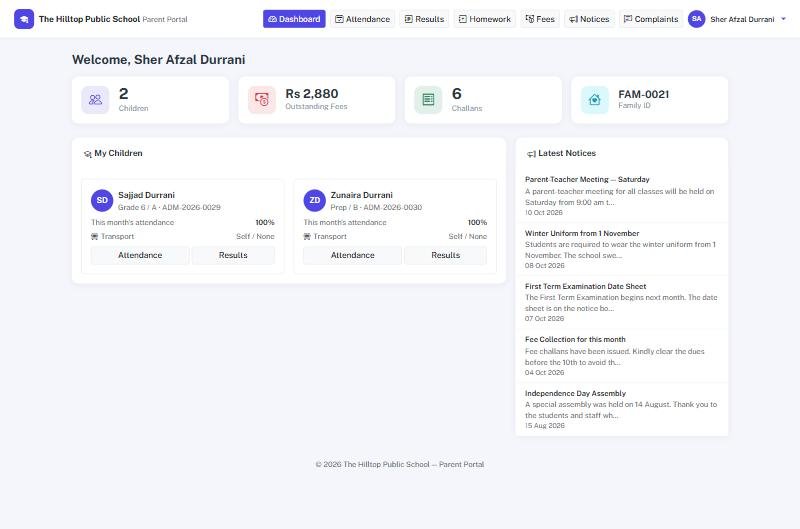
School Smart ERP starts with the family. Create it once, admit each child under it, and siblings are linked for fees and communication. Enquiries and admission tests are recorded, accepted applicants become students in a click, and every student has a profile with photo, documents, admission number and history.
Students & Admissions in four steps
Enquiry
Record the enquiry and schedule the admission test.
Family
Create the family once — father, mother, guardian, CNIC and contacts.
Admit
Admit the student under the family; the admission number is assigned automatically.
Manage
ID cards, documents, promotion, withdrawal and certificates from the same record.
Everything in Students & Admissions
Enquiries & admission tests
Capture enquiries, schedule and record admission tests, and enrol accepted applicants.
Families & siblings
Students grouped under one family with shared guardians, for sibling discounts and one message per family.
Student profiles
Photos, documents, admission and roll numbers, B-Form, class and section in one profile.
Excel import
Bulk-create students and families from a spreadsheet using a ready template.
ID cards & certificates
Printable student ID cards, leaving and character certificates on demand.
Promotion & withdrawal
Promote whole classes at year end and keep a list of withdrawn students.
Students & Admissions — FAQs
Why create the family first?
Can we import our existing students?
Can we print ID cards?
Can we see who has left?
Works together with
See Students & Admissions working for your school
We demo on your own data. Prefer to talk? Call 0333-9296314 or WhatsApp 0333-9180212.