
School Exam Management System
Enter marks once. Grades, GPA and positions are worked out on your own grade scale, and result cards, gazettes and position-holder lists are ready to print — and to publish to parents.
Marks in once, result cards out
After every exam, teachers spend evenings totalling marks, the office spends days typing result cards, and one wrong total means reprinting a whole class. Positions get disputed because nobody can show how they were calculated.
In School Smart ERP, teachers enter marks once. Totals, percentages, grades, GPA and positions follow your own grade scale automatically, result cards print in a professional format, and results can be published straight to the parent app and the student portal.
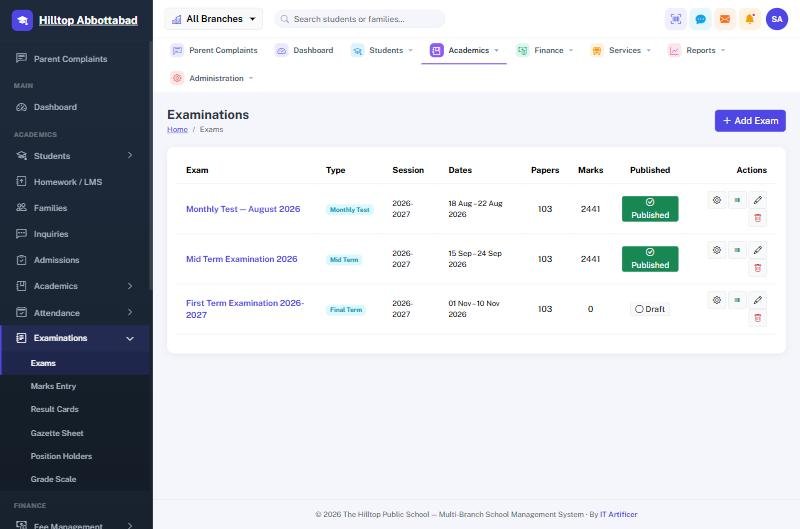
Exams & Results in four steps
Set up
Exams, subjects and your own grade scale.
Enter marks
Teachers enter marks once per subject.
Calculate
Grades, GPA and positions worked out automatically.
Publish
Print result cards and gazettes, and publish to the apps.
Everything in Exams & Results
Configurable grade scale
Your own grades and GPA rules, per class or section.
Single marks entry
Marks entered once per subject feed every report.
Result cards
Professional result cards on your own letterhead.
Gazette & position holders
Gazette sheets and position-holder lists for every class.
Published to parents
Results appear in the parent app and the student portal once you publish them.
Subjects & teachers
Subjects assigned to classes and teachers, with timetables and a yearly planner.
Exams & Results — FAQs
Can we use our own grading system?
Do teachers need to calculate totals?
Can parents see results on their phones?
Can we print a gazette?
Works together with
See Exams & Results working for your school
We demo on your own data. Prefer to talk? Call 0333-9296314 or WhatsApp 0333-9180212.