
Documentation › User Guide
8. Examinations
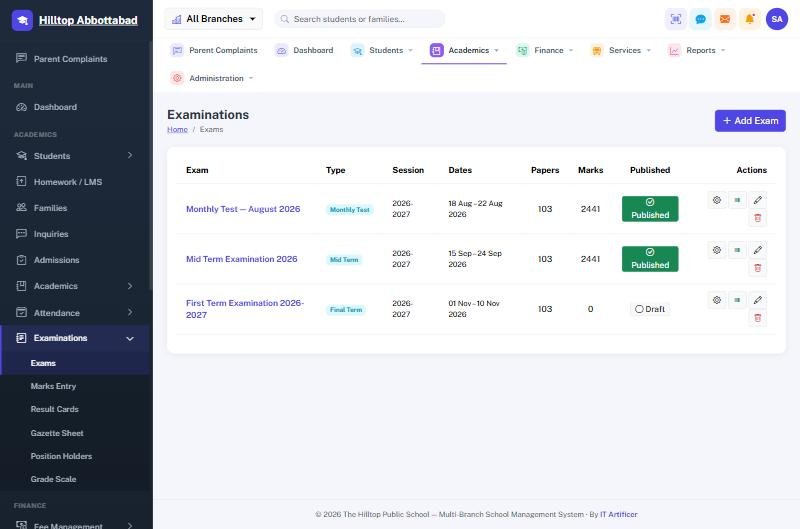
Running an exam
- Add Exam — name it, choose the type and the dates.
- Set the papers: which subject for which class, total marks, passing marks, date, time and room.
- Marks Entry — one class and subject at a time; absentees are marked rather than left blank.
- Check the Gazette Sheet for the whole class on one page.
- Publish when the result is final. Only then do parents and students see it.
What comes out
- Result cards per student, on the school's letterhead, printable in bulk.
- Gazette sheet — every student against every subject.
- Position holders — the merit list per class.
- Grade scale — the bands and grade points, set once under Examinations.
Publishing is the switch
An unpublished exam is invisible outside the staff room. Enter marks at your own pace; nothing reaches a parent until somebody presses Publish.
Ready to see it live?
Book a free demo of School Smart ERP for your school or college.