
17. SMS & notices
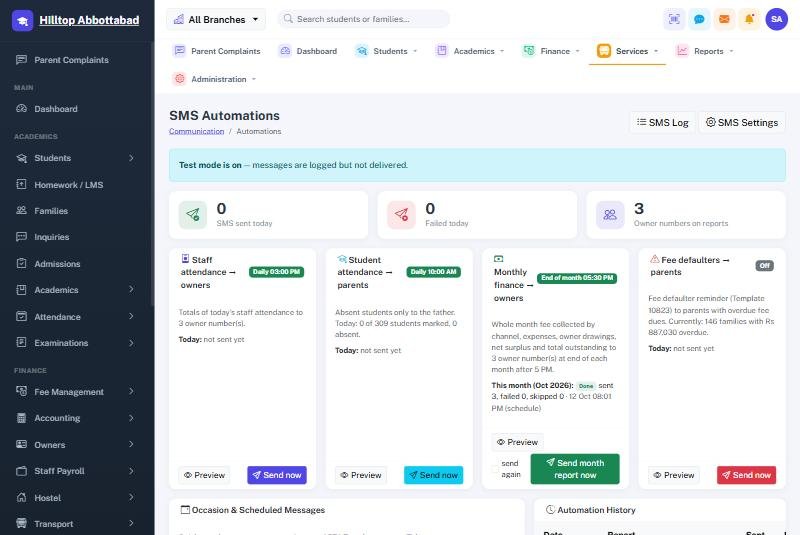
What goes out on its own
| Message | To | When |
|---|---|---|
| Student absent today | Parents of absentees | Each morning, after the register |
| Staff attendance summary | Owners | Each afternoon |
| Monthly finance report | Owners | Last day of the month |
| Fee defaulter reminder | Parents in arrears | Daily, where switched on |
Each can be previewed before it is switched on, sent immediately with Send now, and reviewed afterwards in the SMS log. Occasion messages cover the rest — a holiday announcement, a parents' meeting, Eid greetings — to a whole class, a whole school or a chosen list, now or at a set time.
While test mode is on, every message is written to the log and none is delivered. It is the right way to check the wording and the recipient list before a school's credit is spent. Turn it off when you are ready to send for real.
Notices
A notice is written once and aimed at an audience — everyone, parents, students, teachers or staff. It then appears on the right people's dashboards and portals, and in the app. A future date keeps it hidden until the day it should appear.
Ready to see it live?
Book a free demo of School Smart ERP for your school or college.