
12. Accounting
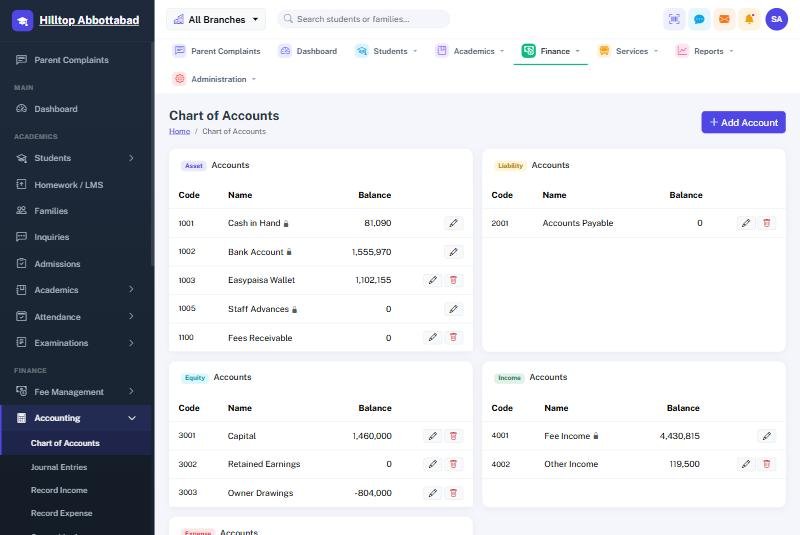
A full set of books, kept by the system as the office works. Nobody has to post a fee receipt by hand — taking the money is what writes the entry.
What posts itself
- A fee receipt — debit the account it was paid into, credit fee income.
- A payroll run marked paid — debit salaries, credit the account it went out of.
- An owner withdrawal — debit owner drawings, credit cash or bank.
What you post by hand
Record Expense for anything the school spends — electricity, rent, repairs, stationery. Record Income for money from outside the fee system. Journal Entries for anything else, with both sides stated.
The books themselves
General Ledger, Cash Book, Bank Book, Trial Balance, Profit & Loss and Balance Sheet, each over any period you choose and each printable.
Removing a fee receipt does not erase its ledger entry; it reverses it. The books keep the full history of what happened, which is what makes them worth keeping.
Ready to see it live?
Book a free demo of School Smart ERP for your school or college.