
18. Parent complaints
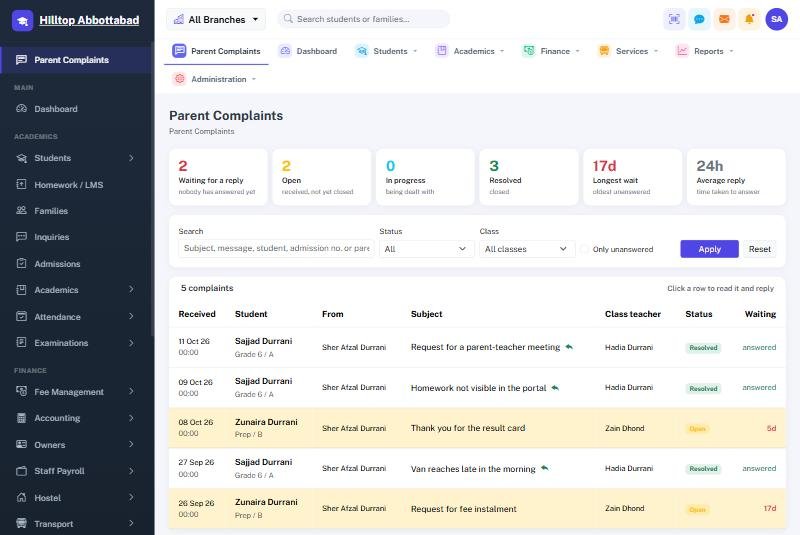
A parent raises a complaint from their portal or the app, against one of their children. It reaches that child's class teacher and the school administration, and the reply appears back in the parent's portal.
For the office, the screen opens with the figures that matter — how many are waiting for a reply, how long the oldest has been waiting, the average time taken to answer — and then lists every complaint one to a row. Rows left unanswered for three days or more are tinted. Click a row to read it in full and reply without leaving the list. Filter by status, by class, by free text, or show only the unanswered.
A parent can record a voice note instead of typing — useful for anyone more comfortable speaking, in any language — and the school can reply by voice too. No typed message is required either way. Recordings are private: they are never published, and only the family who sent them and the staff responsible for that child can play them.
Ready to see it live?
Book a free demo of School Smart ERP for your school or college.